BT contact number guide | How to get in touch
 • 02 Jul 2026
Need to contact BT? We’ve got you covered.
Whether you're reporting a broadband fault, moving home or simply have a question about your account, there are several ways to contact BT.
While many issues can now be resolved online through live chat or the My BT app, sometimes speaking to someone over the phone is still the quickest and easiest option. This guide covers all the main BT contact numbers and breaks down the best ways to get support, no matter the issue.
BT contact numbers at a glance
| BT Customer Services (Broadband, TV & Home Phone) | 0800 800 150 |
| BT Technical Support | 0800 800 150 |
| BT Billing & Account Support | 0800 800 150 |
| BT Moving Home | 0800 800 150 |
| BT Cancellations | 0800 783 1401 |
What is the BT contact number?
The main BT customer service number is 0800 800 150. This freephone number can be used for most residential enquiries, including broadband, TV, home phone, billing, technical support and account changes.
If you're calling from a BT or EE mobile, you can also dial 150 to reach customer services.
Customer service opening hours are 8am to 8pm (Monday to Friday), 8am to 6pm (Saturday) and 9am to 6pm (Sunday).
How do I contact BT customer service?
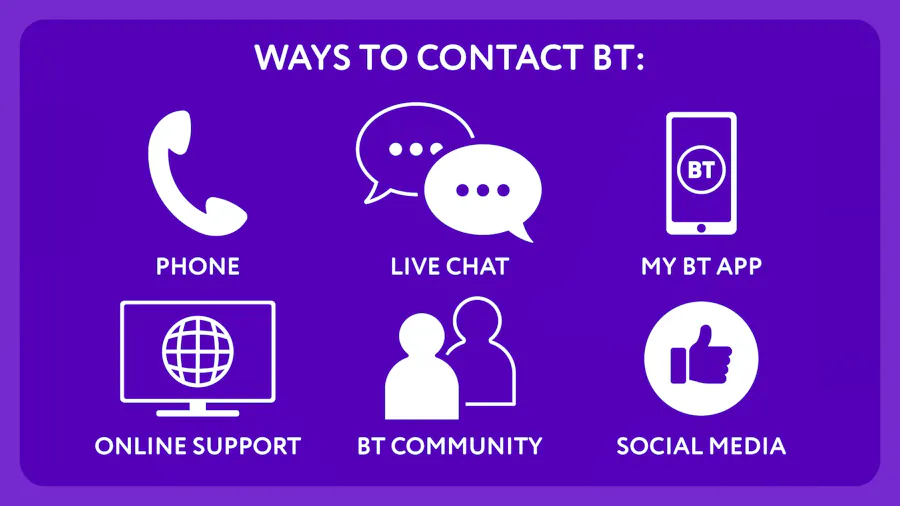
BT offers several ways to get in touch, depending on the type of help you need. You can contact BT via:
- Phone
- Live chat
- The My BT app
- Online help and support
- The BT community forum
- Social media
For many everyday enquiries, such as checking your bill, tracking an order or testing your broadband connection, the My BT app is often the quickest and easiest option. More complex issues may be easier to resolve over the phone.
How do I speak to a real person at BT?
If you'd prefer to speak to an adviser, call 0800 800 150 and follow the automated menu options for your enquiry.
Here’s a hot tip - call waiting times are often shorter during weekday mornings and afternoons. On the other hand, Monday mornings and early evenings are typically the busiest periods, so if your enquiry isn't urgent, it's worth avoiding these times where possible.
BT broadband technical support
If your broadband isn't working properly, BT recommends checking for faults online before calling. It sounds a little counter-intuitive, but the My BT app and BT's online Service Status checker can help diagnose common problems including:
- Slow broadband speeds
- Wi-Fi issues
- Router faults
- Broadband outages
- Digital Voice problems
If the issue can't be resolved online, call 0800 800 150 and select the technical support option to speak to an adviser.
How do I report a BT broadband fault?
If your broadband has stopped working completely, it's worth checking BT's Service Status page first to see if there's a known issue affecting your area.
If no outage is reported, you can run a broadband line test through the My BT app or online support pages before contacting technical support on 0800 800 150. You can also text HELP to 61998 to get automated technical support for your broadband connection. This service is available 8am to 9pm Monday to Friday or 8am to 8pm on weekends.
Another tip - having your account details and any troubleshooting information ready can help speed up the process.
BT billing and account enquiries
Need help with your bill or account? Call 0800 800 150 for assistance with:
- Understanding your latest bill
- Making a payment
- Updating your Direct Debit
- Contract renewals
- Package upgrades
- Changing your account details
Of course, it’s also worth remembering that any account management tasks can also be completed through your online BT account or the My BT app.
BT moving home
Moving house, and wanting to take your broadband connection with you? BT can transfer your service directly to your new address.
To arrange your move, call 0800 800 150 or manage your move online through your BT account. It's always worth contacting BT as early as possible, as engineer appointments can become limited during busy moving periods.
How do I cancel BT broadband?
If you're leaving BT to switch to another broadband provider, your new provider will usually handle the switch for you through the UK's One Touch Switch process.
If you're cancelling your broadband altogether, you'll normally need to contact BT directly on 0800 783 1401. Before cancelling, it's worth checking whether you're still within your minimum contract period, as early termination charges may apply.
Find a Deal
Enter your postcode to see the latest offers in your area.
Don't miss our latest deals
Sign up to receive unmissable offers and the latest news on TV, broadband, energy, phones and more.








Latest News




Broadband Speed Test
Find out whether you could be getting faster home broadband speeds. Our speed test will check your current broadband and let you compare with other speeds in your area.
Test your broadbandBroadband Usage Calculator
Answer a few quick questions and our broadband usage calculator will give you a data estimate for your household. Using this we'll recommend the best kind of deal for you.
Calculate